
Searching Cases by Name
Nebraska JUSTICE gives you two ways to search by name. There is an official one-time search and a paid subscriber service. The one-time route starts with a terms acknowledgement, then searches statewide by name. Enter the last name and first name as exactly as you can. One caution: the system searches party names only. A witness is not a party. So a witness name will not work as a public search field.
- Open the official online register and accept the terms presented for the one-time name search.
- Enter the party name carefully, using the individual or entity choice where the selected service offers it.
- For a subscriber search, combine Banner County with another field, such as court type, case type, subtype, or year, to avoid an overly broad result set.
- Review the result list and open available case details or register information for the matching court and case number.
- Use the clerk or a courthouse public terminal when a record needs confirmation, a public image is unavailable, or the search result is incomplete.
| Field | Type | Required | Use in a Banner search |
|---|---|---|---|
| Party name | Text | Yes for name search | Enter the party rather than a witness; exact spelling helps distinguish results. |
| Individual or entity | Selection | When offered | Choose the applicable party category before narrowing an individual or organization search. |
| County | Multi-select | No | Select Banner with another filter in the subscriber service; county alone can return too many results. |
| Court, type, year, judge, or attorney | Filters | No | Subscriber fields that refine a statewide party-name result. Live choices can vary. |
Banner County JUSTICE Search Choices and Costs
The one-time JUSTICE name search is an official statewide service, and it is not free. According to the current fee notice, one search costs $17 effective January 1, 2026. A blank result still gets charged. Once you pay, access to the one-time service lasts three calendar days. Reading the terms first beats assuming a no-hit search cancels the fee.
The subscriber service reaches much further. Its filters cover party name, court type, county, case type or subtype, year, judge, and attorney. Case detail is listed at $2 in the same notice. The one-time product begins with a name and terms acknowledgement. The subscriber route handles the broader filter set and detail access Nebraska describes. Fees and terms shift over time, so the live official notice governs before you submit. The short access window is one more reason to nail down the party name and likely court in advance. Filters shape what you retrieve, though. They never decide whether record contents can be viewed or copied. Public-access rules and the court record itself answer that question. Source: JUSTICE one-time name-search terms.
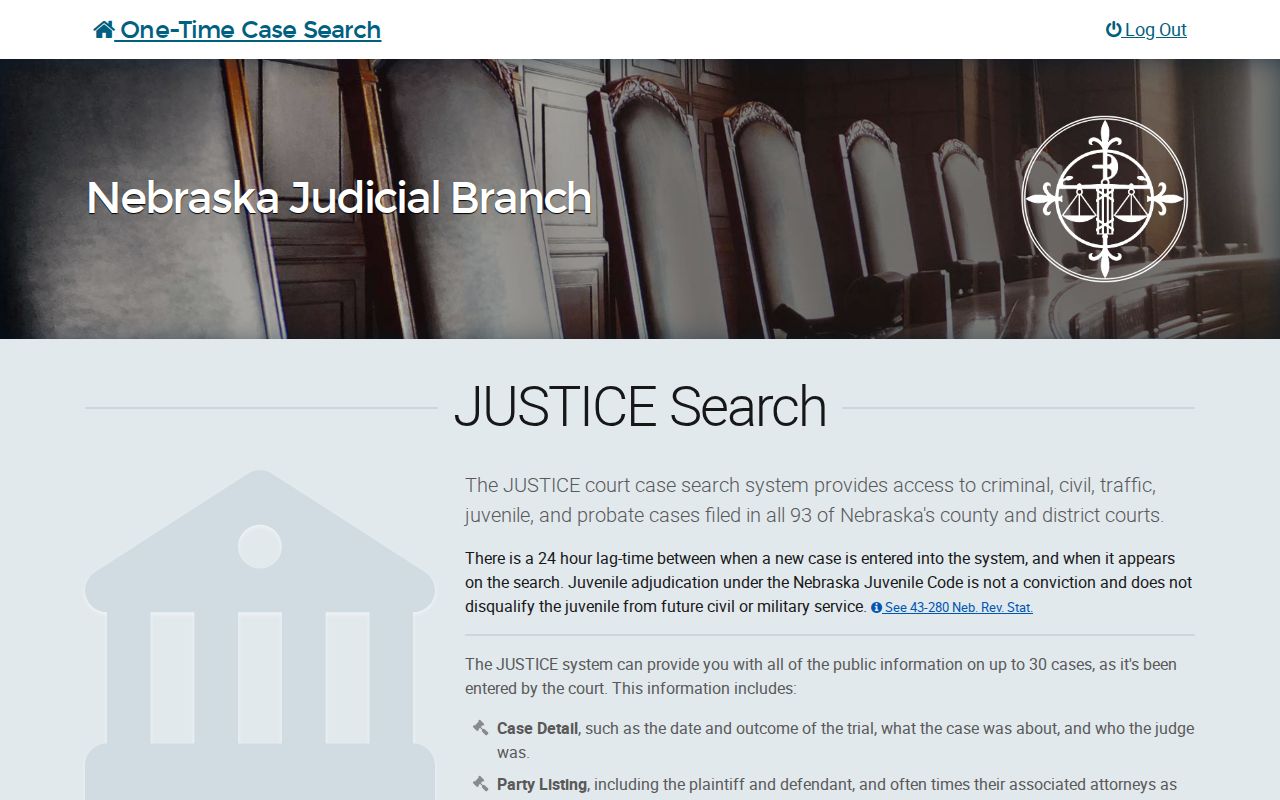
This screen is the acknowledgement step that comes before a one-time search. It does not identify any Banner case on its own.
Searching by Case Number
A known case number is usually the cleanest key for a docket search. Nebraska identifiers build in the court or county context, case type, filing year, and a sequence. But copy the exact formatting from a court notice, register, or other official record. Never manufacture a number from a guessed pattern. A safe way to picture the pieces is court / county / type / year / sequence. Use the number exactly as printed, and confirm the court matches the case. In the subscriber service, case-number searching pairs with the case-identification fields. If you know only part of a number, a name search plus the likely court and year works better. Use that as a starting point.
Punctuation, leading zeros, and spacing must be copied exactly when they appear in the record. A case identifier helps locate a court record. Still, check the caption and court. Do that before relying on a case detail or asking for a copy.
Banner Court Selection: County Court or District Court
Which Banner court holds the docket? Banner County Court handles traffic and misdemeanor matters, felony preliminary hearings, probate, small claims, guardianship, conservatorship, adoption, juvenile matters, and county-court civil cases. Banner District Court takes felony proceedings after bind-over. It also handles domestic-relations matters, district civil cases, and other general-jurisdiction work.
One criminal matter can therefore leave records in both courts. The county-court preliminary hearing does not become the district felony register after bind-over. Pick the court matching the case's stage. Then compare caption, type, and filing information before calling results a match. Banner has no incorporated municipality or separate municipal court docket. A local ordinance or traffic matter that became a court case belongs to Banner County Court. It is not a city-court search. Source: official JUSTICE search-fields demonstration.
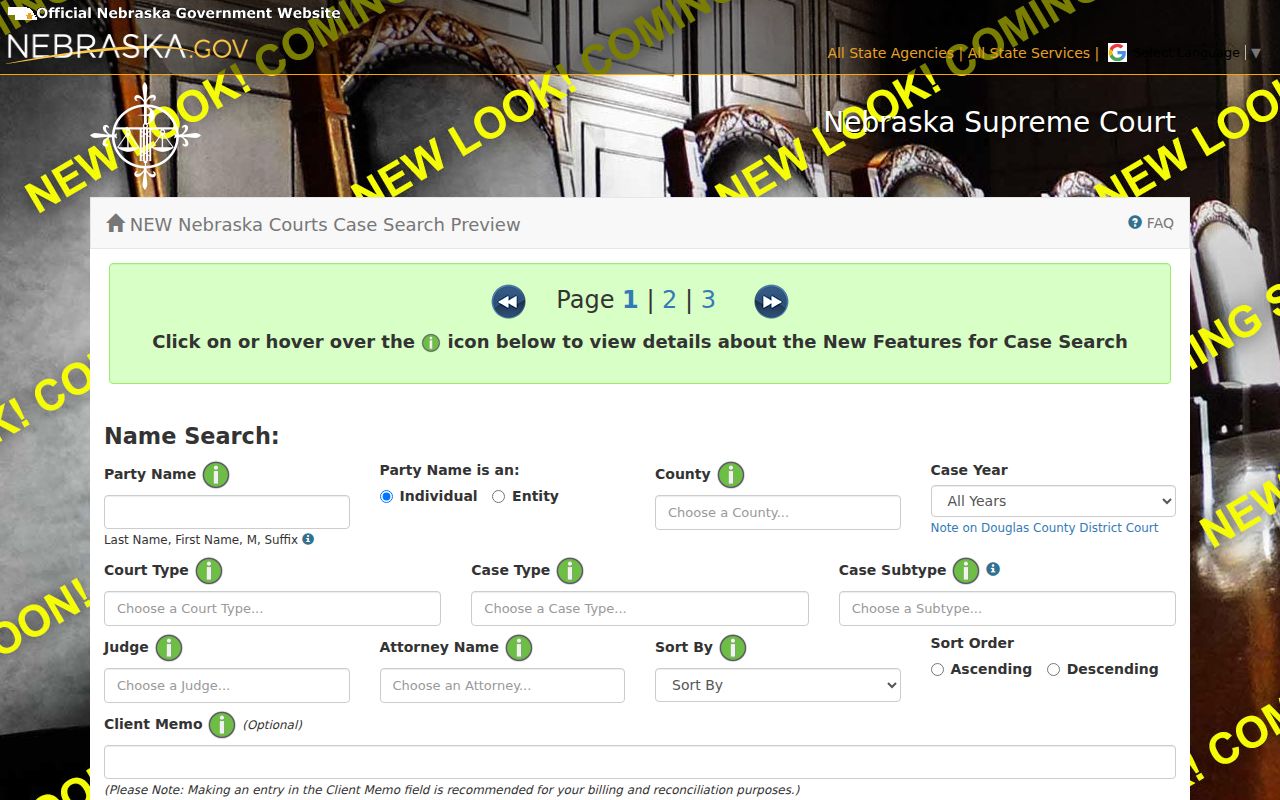
The official demonstration shows interface fields and filters only. Its names and addresses are fictional, not Banner County case data.
What a Case Search Returns
A search result works like an index, not the full court file. From a result list you can spot the party name and type, case number, caption, judge, attorney, and a route to details. Case details reach further into the public record, subject to access limits and the type of service used.
| Case number | The identifier used to distinguish the specific court record and confirm the court, type, year, and sequence context. |
|---|---|
| Caption or parties | The case style and party information that help separate similar names. A caption is not a finding about allegations. |
| Case type and court | The classification and county- or district-court context used to verify that the result is in the right Banner court. |
| Case summary | Available summary information can include filing, status, disposition, judge, and related case fields. |
| Register and financial areas | Where available, details can include the register of actions, judgment, costs, financial activity, and payment information. |
Source: official JUSTICE result-layout demonstration.
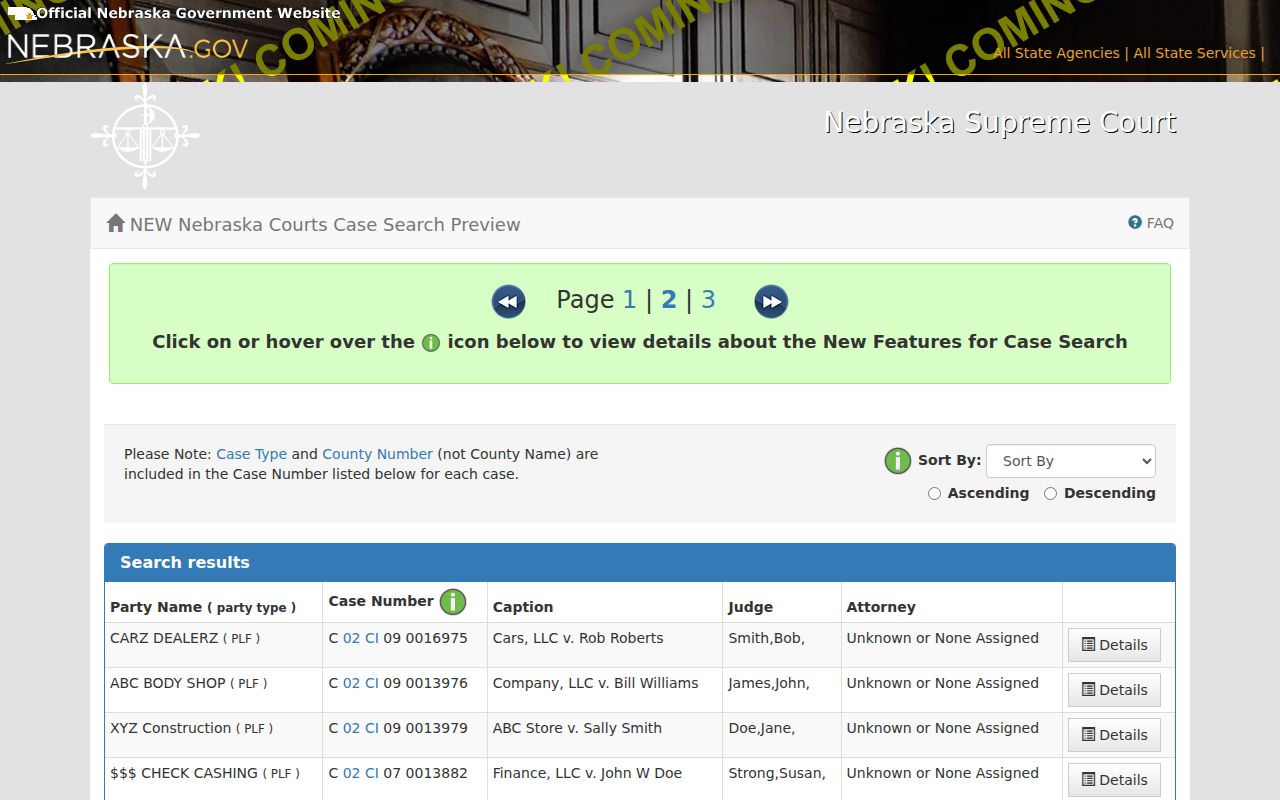
The demonstration illustrates columns and navigation, not current records or real parties.
Banner Case Search Results, Registers, and Copies
Click a result and you get several detail areas, not one long docket. The official JUSTICE case-summary demonstration labels them clearly. Parties and attorneys sit in one spot. Judgment information, court costs, and financial activity sit in others. Payments made to and by the court, the register of actions, and the case summary appear there too. A register entry can show up even when no public document image is attached to it.
Why would an image be missing? The filing may exist on paper only. It may also be restricted or just unavailable for remote access. Nebraska announced an improvement in 2024. Qualifying non-confidential images filed after April 2008 can now be viewed through one-time case searches. That change did not make every image public, though. It also does not replace a clerk-issued copy. A certified or plain copy goes through the court's separate records process. For a walkthrough of the layout, see the official JUSTICE case-summary demonstration.
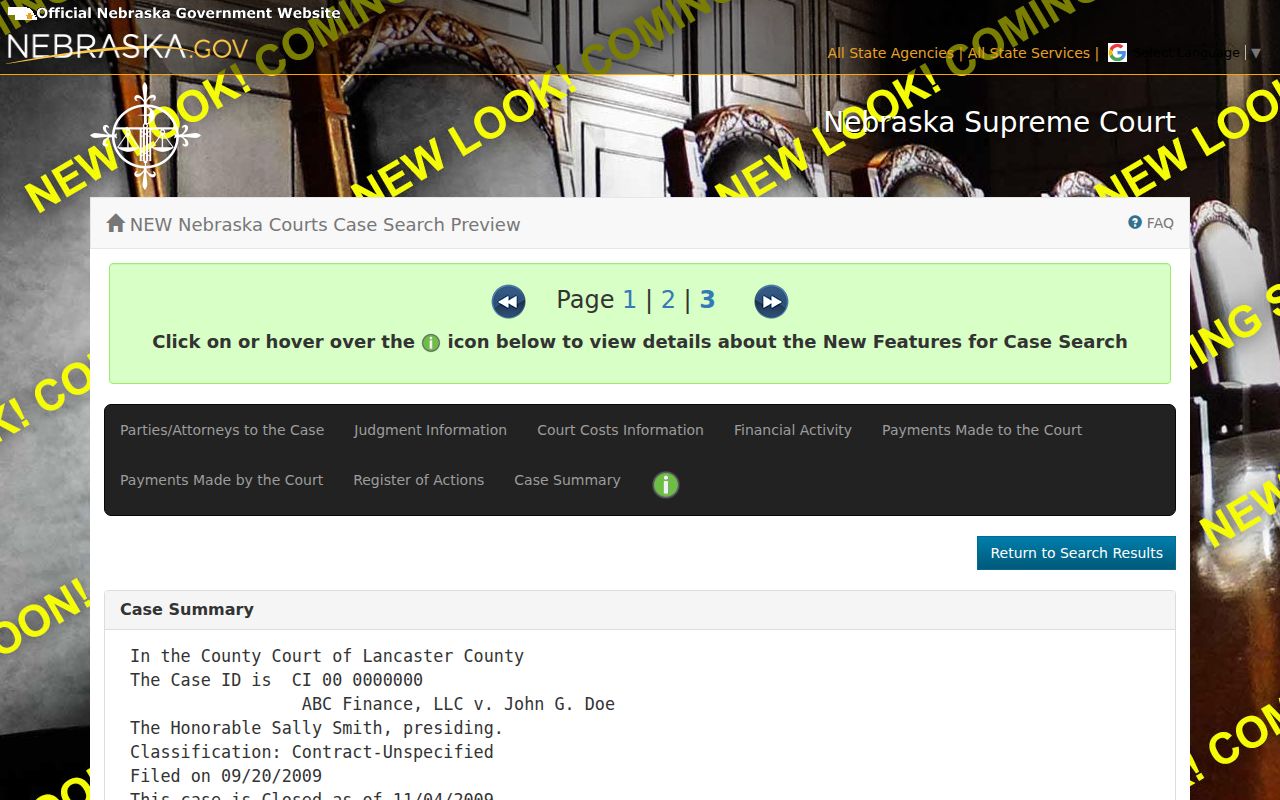
The tabs in that demo describe interface categories only. They do not promise that any given category, or any image, exists in a particular Banner case.
Statewide vs County Case Search
Banner itself hosts no separate public case-search portal. For electronic searching, Nebraska JUSTICE is the statewide route. The Banner clerk offices and the courthouse terminal still matter, though. They handle records, clarification, and copies, and they fill gaps the statewide docket search leaves open.
| Statewide JUSTICE search | Banner court-record channel |
|---|---|
| Searches statewide records by the access product and fields available. | Uses the appropriate Banner district or county-court clerk and the local public-terminal route. |
| Useful for a known party name, case number, or cross-county question. | Useful to confirm court placement, ask about an unconverted record, or request a court copy. |
| May show an index, summary, detail areas, or qualifying images subject to service and access limits. | Can direct a requester to the official register, paper file, or copy procedure, subject to restrictions. |
Banner JUSTICE Coverage: the 2000–2001 Rollout
Electronic history in Banner has a firm starting point. Criminal and traffic information went live in April 2000. District information followed in June 2000. Civil, small-claims, and related coverage arrived in January 2001. These dates explain why a very old file may still need a clerk or a public-terminal inquiry even when a newer case type turns up online with no trouble.
Access and Restricted Cases
Nebraska's Article 8 public-access rules seal off several categories. Sealed matters, juvenile records, and adoption records are among them. Confidential personal or financial information rounds out the main ones. A court can also restrict a particular record under its own rules or by order. So a missing search result proves very little. It does not show that a person has no case. Nor does it show that no court record exists.
If a record looks restricted, ask the proper clerk about the access process. Do not expect a JUSTICE result to tell you whether a record may be released. And never treat a public index entry or an available image as a certified copy. The court, not an online result, decides whether a record can be inspected or copied. A sealed-matter request follows the governing court procedure, not the routine public-search path.
Banner Case Search Troubleshooting and Clerk Access
JUSTICE updates nightly. Even so, a fresh case can take 24 hours, sometimes up to a week, to appear. Before repeating a search, check the spelling, the court, the case type, and the year. An internal server error is annoying but temporary; Nebraska's published guidance says wait 10 to 15 minutes and try again. Technical support sits at 800-747-8177 and ne-support@tylertech.com.
Need an upcoming setting instead? Use the online calendar. For a case record that is unavailable or unclear, try the courthouse public terminal, call the Banner District clerk: 308-436-5265 at the Harrisburg office or P.O. Box 67, or call Banner County Court: 308-436-5268 through the Gering office and P.O. Box 133. A formal public-records request is a separate process from technical support or a routine docket search.